

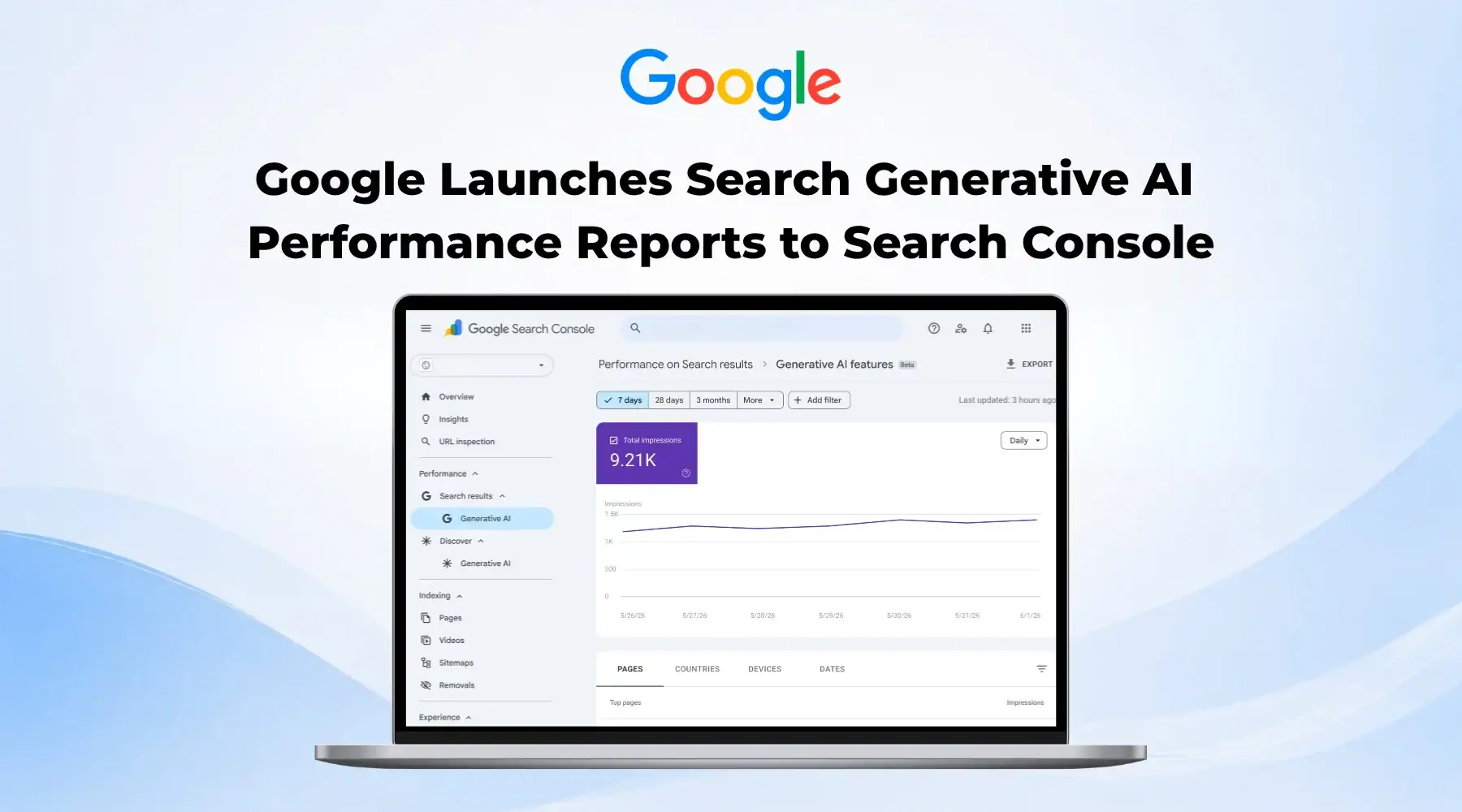
Search Console quietly gained a dedicated way to measure AI visibility this year, and it is now live for every site on the web. It is called the Generative AI performance report, and it is easy to confuse with a different Search Console control we have covered before, the one that lets you opt your content out of AI Overviews entirely. This is not that. This is the report that tells you what is happening once your content is eligible.
The report rolled out to every website worldwide on August 31, 2026, and September brought its first real feature addition since launch: a filter for multimodal, image-based search. Along the way, a rumor has also spread across SEO blogs that Search Console now shows you the actual prompts people typed into AI Mode. It does not, and understanding why is part of using this report correctly.
This post covers what the Generative AI performance report actually is, what it shows and what it still leaves out, who is eligible to see it, the new multimodal filter, why the AI prompt visibility claim going around is false, and how to actually use the report given what it can and cannot tell you.
What Is the Generative AI Performance Report?
Google introduced the report as a limited test for a subset of UK sites starting June 3, 2026, before expanding it to every website worldwide as of August 31, 2026. Its purpose is narrow and specific: give site owners a dedicated view of how often their content appears inside Google's generative AI features, separate from the regular Search results report where AI and traditional visibility used to be blended together.
That separation matters more than it sounds. Before this report existed, a page could be losing traditional impressions while gaining AI visibility, or the reverse, and there was no way to tell which was happening from inside Search Console. Splitting the two into distinct, separately measurable channels is the actual point of the feature.
Where to Find It, and What It Actually Shows
The report lives in its own section of Search Console's Performance area, separate from the standard Search results report. It tracks impressions, meaning how often a link to your site appeared, from AI Overviews and AI Mode, while impressions from generative AI features inside Discover are reported separately again. Data begins from a fixed start date in May 2026, with no historical backfill before that.
You can break the data down by four dimensions: pages, grouped by their final canonical URL; countries, based on where the search happened; dates, viewable by day, week, or month in Pacific time; and devices, split across desktop, tablet, and mobile.
What's Missing, and Why That Matters
The report shows impressions only. There are no clicks, no click-through rate, no position data, and no visibility into the actual queries or prompts that triggered an appearance. Google has said it plans to introduce additional metrics over time, but as of late September 2026 it has not given a timeline, and the value side of an AI appearance, whether it actually drove anyone to your site, remains outside the report entirely.
In practice, that means you can confirm a page is being surfaced inside AI Overviews or AI Mode, but you cannot yet tell whether that surfacing is helping or costing you traffic. Treat the report as a visibility signal, not a performance or return on investment metric, until Google adds more to it.
Who Is Eligible to See It?
Two conditions have to be met before the report shows anything. First, your property cannot be set to Exclude under the separate Search Generative AI control, the Include, Exclude, or Inherit setting we covered in an earlier post; excluded content is not eligible to appear in AI features at all, so there is nothing for this report to measure. Second, your site needs to have received enough impressions in generative AI features for Google to populate a report. Newer or smaller sites may simply see an empty report, not because anything is broken, but because there is not yet enough AI visibility data to show.
One more scope note: the report does not include impressions from experiments running in Search Labs, since Google considers those still in active development rather than part of the standard product.
New in September: The Multimodal Search Filter
On September 24, 2026, Google added a new option called Web: multimodal to the Search type filter across Search Console's performance reports, including this one. It shows how your site performs when someone finds it through an image-based search: Google Lens, Circle to Search on Android, an image uploaded directly to Google Search, or Chrome's Search this image action.
The filter works in two places at once. In the standard Search results report, it shows full clicks and impressions for multimodal traffic like any other search type. Inside the Generative AI report, it shows impressions specifically from AI Overviews and AI Mode triggered by an image search. To use it, open Performance, then Search results, click Search type at the top of the report, and select Web: multimodal. The same limitation applies here as everywhere else in this report family: there is no Queries dimension for multimodal traffic, so you can see that a page received visual search impressions without knowing what image or object triggered them.
No, Search Console Does Not Show You AI Prompts
A claim has circulated on several SEO blogs that Search Console now lets you filter AI Mode results by the actual prompt a user typed. That is not an official Google feature, and it is worth being precise about why, since the confusion is understandable.
What is actually happening is an older, unofficial workaround applied to the ordinary Search Queries report, not the Generative AI report at all: a regex filter that flags long queries, typically ten words or more, on the theory that conversational, multi-word searches are more likely to originate from an AI tool or a chatbot referral. Google does not tag query origin this way, so the method is an inference from query length, not a confirmed source label, and it will just as easily flag a long search someone typed by hand.
The rumor likely gets some of its staying power from a real incident: in late 2025, actual ChatGPT prompts briefly leaked into some sites' Search Console query reports because of a URL parameter routing issue on OpenAI's side, which OpenAI said affected a small number of queries at the time. That was a one-off leak from a bug, not a feature Google built, and it has since been fixed. If you want to know the exact question someone asked before your page got cited, Search Console, official or unofficial, still cannot reliably tell you that.
How This Differs From the Include or Exclude Control
It is easy to conflate this report with the Search Generative AI control we covered when it launched in the UK. They are related but they do different jobs. The Include, Exclude, and Inherit setting decides whether your content is allowed to appear in AI Overviews, AI Mode, and Discover's AI features at all. The Generative AI performance report measures what happens once that eligibility exists. One is a switch, the other is a gauge, and you need the switch set to Include before the gauge has anything to show you.
How to Actually Use the Report
- Check whether the report is populated for your property yet. An empty report on a smaller site usually means not enough data, not a broken feature.
- Compare AI Overview and AI Mode impression trends against your regular Search Performance impressions over the same date range to see whether AI visibility is additive or is simply reflecting traffic you already had.
- Review which specific pages are showing up, since that tells you what content is already being pulled into AI answers and worth reinforcing with clearer structure and stronger sourcing.
- Turn on the multimodal filter if you publish visual content like product photography, diagrams, or infographics, to see whether image-based search is a real channel for your site before investing more in it.
- Do not chase prompt-level data through unofficial query filters. Treat the report as a visibility signal, not a full measurement of return, until Google adds clicks and query data.
Where This Leaves Things
The Generative AI performance report is a real, useful addition to Search Console, and it is also clearly unfinished. Impressions without clicks or queries tells you that you exist inside AI answers, not whether that presence is worth anything yet. The September multimodal filter is a sign Google is still actively building this out rather than treating it as done, so expect more dimensions to arrive over time rather than assuming the current gaps are permanent.
If you want help reading what this report is actually telling you about your site and turning that into a plan, our SEO and AI search service is built to cover exactly this kind of AI visibility work. Contact us and we will take a look at where you stand.
Frequently asked questions
What is the Generative AI performance report in Search Console?
It is a dedicated Search Console report, rolled out worldwide on August 31, 2026, that shows how often your content appears inside Google's generative AI features, specifically AI Overviews and AI Mode, separate from your standard Search results report.
Does the Generative AI performance report show clicks?
No. As of late September 2026, the report shows impressions only. There is no click data, click-through rate, position information, or query visibility, though Google has said it plans to add more metrics over time without giving a specific timeline.
Can I see the exact AI Mode prompts that led to impressions?
No. Despite claims circulating on some SEO blogs, Search Console does not officially expose the prompts users typed. The techniques described online are unofficial regex-based filters applied to the standard Search Queries report that flag long queries as likely AI-related, which is an inference, not confirmed data from Google.
What is the multimodal search filter in Search Console?
It is a Search type filter, Web: multimodal, that Google added on September 24, 2026, showing performance for image-based searches done through Google Lens, Circle to Search, an uploaded image, or Chrome's Search this image feature. It works in both the standard Search results report and the Generative AI performance report.
Is the Generative AI performance report the same as the opt-out setting?
No. The opt-out setting, called Search Generative AI control, decides whether your content is allowed to appear in AI features at all, with Include, Exclude, and Inherit options. The Generative AI performance report is a separate measurement tool that shows what is happening once your content is eligible to appear.
Need help with this?
Growthtrait can help you put this into practice. Let's talk about your goals.
Contact us