
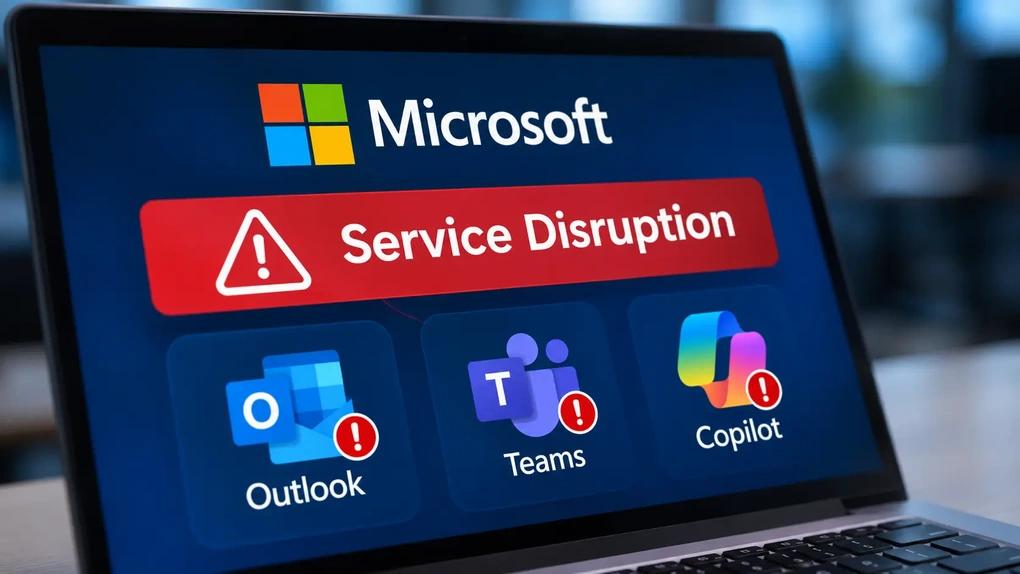
On Thursday, November 12, 2026, millions of people opened Outlook and found that their email would not load. Within hours the problem had spread to Teams calendars, SharePoint, Copilot and more than a dozen other Microsoft 365 services, in at least 74 countries. By Friday morning it was still not fully fixed.
Microsoft says the outage was not caused by a cyberattack. Its own incident records show the trouble began at 11:17 a.m. Eastern Time (ET) on Thursday, and that a fix to an “upstream authentication/routing configuration component” finally brought stability overnight. As of Microsoft's latest update at 9:01 a.m. ET on Friday, November 13, email queues were “significantly reduced and approaching normal levels,” but some users could still see intermittent problems.
This article covers what happened, the full timeline from Microsoft's own updates, what has been said about the cause, who was affected, the latest status, and practical steps for businesses. It was last updated at 9:30 a.m. ET on November 13, 2026. We will update it as Microsoft publishes more.
What Happened in the Microsoft 365 Outage?
The core of the outage was Exchange Online, the service that runs business email for Microsoft 365. Microsoft's incident EX1550543 describes it plainly: “Users may be unable to connect to their mailboxes in Exchange Online through multiple connection methods.” That covered Outlook on the web, the Outlook desktop app, mobile email apps and other tools that connect to mailboxes.
Because so many Microsoft 365 features depend on email and calendars, the problem spread. Microsoft opened a second incident, MO1550821, titled “Users may be unable to connect to multiple Microsoft 365 services.” Services listed as affected include:
- Outlook and Exchange Online: mailbox access and email delivery, with many messages delayed.
- Microsoft Teams: calendar scheduling, invites and meeting edits. According to NBC News, calls, meetings, chats and channel messages kept working.
- SharePoint Online, Microsoft 365 Copilot, Planner and To Do.
- Admin and security tools such as Microsoft Defender XDR, Purview and Intune.
Microsoft Azure, the cloud platform many companies run their own websites and apps on, showed no active incidents on its status page. This was a Microsoft 365 outage, not an Azure one.
The scale was large. Downdetector reports reached 74 countries and territories within about an hour, and peaked at 19,650 reports per minute against fewer than 15 on a typical Thursday, according to NBC News.
Timeline: How the Outage Unfolded
The times below are taken from Microsoft's own service health updates for incidents EX1550543 and MO1550821, as mirrored by the University of Pennsylvania. All times are Eastern Time.
Thursday, November 12
- 11:17 a.m.: Microsoft's records show the Exchange Online incident beginning. Its first update, at 11:20 a.m., reports “potential issues accessing mailboxes.”
- Around 12:50 p.m.: user reports surge on Downdetector as the outage becomes visible across the Americas.
- 1:19 p.m.: Microsoft reports “elevated load across multiple regions” and starts restarting and repairing infrastructure. At 1:26 p.m. it opens MO1550821 for other affected services.
- 2:06 p.m.: Microsoft pauses all deployments and configuration changes while it reviews recent changes.
- 2:18 p.m.: Microsoft says the load is not caused by more traffic but by many servers being “unexpectedly unavailable,” leaving the rest overloaded.
- 2:43 p.m.: “affected servers are failing automated health checks, which is causing them to become unavailable.”
- 3:56 p.m.: Microsoft validates “an alternative health check method” on some servers and begins rolling it out.
- 5:00 p.m.: “a core process on the affected servers is becoming overwhelmed.”
- 6:59 p.m.: servers that were returned to service become unresponsive again under traffic. Microsoft starts limiting which types of traffic can reach the affected infrastructure.
- 8:06 p.m.: Microsoft says “a process on the affected servers responsible for establishing secure connections becomes overwhelmed,” and that it has “begun reverting a recent network configuration change that correlates with the start of impact.”
- Late Thursday: Charles Lamanna, a Microsoft executive vice president, says on social media that “there is no indication this is the result of malicious or cyber activity,” according to ABC News.
- 9:54 p.m.: Microsoft says a change it applied is not performing as expected and it is looking at other options.
- 11:10 p.m.: partial recovery in some regions, but it is not sustained.
- 11:59 p.m.: Microsoft reports a surge in calls from its routing services to backend systems, and adds server capacity.
Friday, November 13
- 2:24 a.m.: the turning point. Microsoft reports positive server stability after patching an “upstream authentication/routing configuration component” on part of its infrastructure, and starts expanding the patch.
- 4:03 a.m.: early signs of stabilization. Microsoft extends its email timeout window to 48 hours so delayed messages are kept rather than bounced.
- 6:01 a.m.: recovery actions completed in parts of Asia Pacific, with traffic gradually restored.
- 7:18 a.m.: encouraging recovery in Europe, Japan comparatively stable, North America improving.
- 7:59 a.m.: broader improvements in North America and sustained improvements across much of Europe.
- 9:01 a.m.: service availability improving, with email queues “significantly reduced and approaching normal levels.” Some users may still see intermittent access issues or delayed email. Microsoft's next update was scheduled for 10 a.m. ET.
What Caused the Outage?
Microsoft has not yet confirmed a root cause, and both incidents still list it as not available. The company says it will publish “a full Post-Incident Report with root cause and defense-in-depth actions after mitigation is complete.”
What Microsoft has said so far, in order:
- Servers became unavailable because they failed automated health checks, overloading the rest.
- A process that sets up secure connections on those servers became overwhelmed.
- A recent network configuration change “correlates with the start of impact,” and Microsoft began reverting it. It has not said this change was the cause.
- Stability finally improved after a patch to an upstream authentication and routing configuration component.
Two other points are worth knowing. Microsoft says it has “no evidence of malicious activity.” And the outage began two days after Microsoft's November Patch Tuesday security updates, but SecurityWeek reports that Microsoft's advisories have not linked those updates to the outage. Until the Post-Incident Report is out, treat any single explanation as provisional.
Who Was Affected?
Because Microsoft 365 email sits underneath so much daily work, the effects reached well beyond office inboxes:
- Governments: Japan's Chief Cabinet Secretary said inter-ministerial communications were disrupted. The Philippine Supreme Court warned of delays. The UK government said it was working with Microsoft to assess the impact. In the United States, Baltimore County and the City of Austin could not send or receive email, though Austin said 911 was not affected, and an Arapahoe County, Colorado sheriff's office had to take bond payments in person.
- Healthcare: the UK's National Pharmacy Association warned that pharmacies may struggle to receive prescriptions from doctors, and some NHS services were affected, according to NBC News and CNBC.
- Airlines: IndiGo, Akasa Air and Air India said their email support was affected. Air India said flight operations were not.
- Companies and markets: Richemont briefly delayed its half year results, Workhorse Group moved its earnings release to November 16, and Maersk, Aviva and Euronext reported email problems. Microsoft shares were around 2% lower in premarket trading on Friday, according to CNBC.
- AI tools: NBC News reported that OpenAI and Anthropic saw issues with their Microsoft connectors, since those rely on access to Microsoft 365 email and files.
Ciaran Martin, the former head of the UK's National Cyber Security Centre, told NBC News it “looks like being one of the biggest outages of all time,” though he said it was too early to be sure. James Owen of the risk consultancy Control Risks told CNBC it showed a “resilience and dependency issue that has been decades in the making.”
What Is the Latest Status?
As of 9:01 a.m. ET on Friday, November 13, 2026 (9:01 p.m. in Vietnam), Microsoft reports:
- Recovery progressing across all affected regions: Asia Pacific, Europe and North America.
- Email queues significantly reduced and approaching normal, so delayed messages are being delivered.
- Some users may still see intermittent access issues or delayed email.
- Both incidents remain open, with no confirmed root cause.
If Outlook works for you now, expect a wave of delayed emails to arrive over the coming hours. To check the official status, see Microsoft's service status page, the Microsoft 365 Status account on X, or, if you are an administrator, incidents EX1550543 and MO1550821 in the Microsoft 365 admin center.
What Should Businesses Do Now?
Today
- Do not resend important emails over and over. Microsoft has extended its email timeout window to 48 hours, so most delayed messages should still arrive. Resending creates duplicates.
- Check for bounce messages over the next two days. If an important email bounces, send it again or use another channel.
- Tell customers and partners where to reach you. If your support inbox runs on Microsoft 365, post a short notice on your website or social channels with a phone number or chat option.
- Do not judge this week's email campaigns on today's numbers. If your customers use Microsoft 365 business email, deliveries, opens and replies may be delayed or understated. Consider holding time-sensitive B2B sends until delivery is back to normal.
- Be careful with “Microsoft account” messages. Big outages are a common hook for phishing. Do not enter passwords from links in emails about the outage; go to Microsoft's sites directly.
After recovery
- Read Microsoft's Post-Incident Report when it is published, and share the summary with your team.
- Check your agreement with Microsoft or your reseller for possible service credits.
- List the work that stopped because one service failed: email, calendars, files, approvals, AI tools. Then decide on a backup for each one, such as a second communication channel or offline copies of key contacts.
- Write a one page outage plan: who checks the status, who tells customers, and which tools the team switches to.
What This Outage Teaches About Relying on One Platform
The 2024 CrowdStrike incident, last year's AWS outage and now this Microsoft 365 outage share a lesson: when much of your work runs on one platform, one failure can stop almost everything at once. Australia's Home Affairs Minister Tony Burke compared this outage to CrowdStrike, according to CNBC. The answer is not to abandon these platforms, but to know which parts of your business depend on them and to have a simple plan for when they go down.
This matters even more as companies add AI tools on top. Copilot and other AI assistants that read your email and files were disrupted too, because they depend on the same services. Every new tool built on Microsoft 365 widens what one outage can take down.
If you want help mapping which of your marketing, sales and AI workflows depend on a single provider, and building simple backups that keep customers informed, our AI training team can help. Contact us to talk it through.
Frequently asked questions
Is Microsoft 365 still down?
As of 9:01 a.m. ET on November 13, 2026, Microsoft reported recovery across Asia Pacific, Europe and North America, with email queues approaching normal levels. Some users could still see intermittent access problems or delayed email, and both incidents remained open.
When did the Microsoft 365 outage start?
Microsoft's incident records show the Exchange Online problem starting at 11:17 a.m. ET on Thursday, November 12, 2026. Reports from users surged shortly before 1 p.m. ET, and the outage continued into Friday, November 13.
What caused the Microsoft outage?
Microsoft has not confirmed a root cause yet. It has said servers failed automated health checks, a process that establishes secure connections became overwhelmed, and it began reverting a recent network configuration change. Stability improved after a patch to an authentication and routing component. A full Post-Incident Report will follow.
Was the Microsoft outage a cyberattack?
Microsoft says no. Its status updates say it has no evidence of malicious activity, and executive Charles Lamanna said there was no indication the outage was the result of malicious or cyber activity.
Will emails sent during the outage be lost?
Most should not be. Microsoft extended its email timeout window to 48 hours to keep delayed messages, and email queues were being cleared on Friday. Check for bounce messages over the next two days and resend only those.
Was Azure affected by the outage?
No widespread Azure incident was reported. Azure's public status page showed no active events. The outage affected Microsoft 365 services such as Exchange Online, Outlook, Teams, SharePoint and Copilot.
Need help with this?
Growthtrait can help you put this into practice. Let's talk about your goals.
Contact us